
Start with an official recipe that matches the job
The TypeSafe cookbook collection includes document classification, passage filtering, reranking, semantic search, entity alignment, skill selection and guardrails. A useful recipe explains both the question and the ordinary code that uses its answer.
| Your task | Start here | Keep in code |
|---|---|---|
| Put each document in one category | Hierarchical classification | Parsing, category identifiers and file operations. |
| Choose passages for an answer | RAG passage classification | Retrieval, provenance and context budgets. |
| Rank retrieved candidates | Reranking | Candidate preparation and ranking evaluation. |
| Match records across catalogues | Entity alignment | Candidate blocking, exact invariants and merge approval. |
| Suggest a useful agent skill | Skill suggestion | Available skills, execution permissions and fallback. |
Results captured by a recipe's author establish the conditions of that particular experiment. They do not establish the accuracy, latency or price of your own workload. Reuse the evaluation method and inspect the source data before reusing a headline number.
Try the official playground before installing a demo
The official playground lets you supply a state and add typed questions after signing in. The quick start walks through that flow. Try a familiar, non-sensitive example and check whether the question's answer space actually covers it.
For example, a support triage task needs a Choice for the handling team, separate Nouls for independent flags, and perhaps a Score for urgency. A ticket can be both urgent and refund-related; those flags should not be forced into one exclusive category.
Community cookbooks and showcases
nexibeo/jev-cookbook documents runnable examples for support triage, tagging, extraction, retrieval and browser actions through OpenRouter. Its README identifies the Decisions endpoint and records the model versions used for its own runs. It is a community resource, not the official API specification.
Jev Showcase is an interactive playground for inspecting typed answers and multiple questions in one call. Kill My Idea applies a startup-idea rubric and combines model judgments in code. Such a demo is useful for understanding composition; its verdict is not evidence that a startup will succeed or fail.
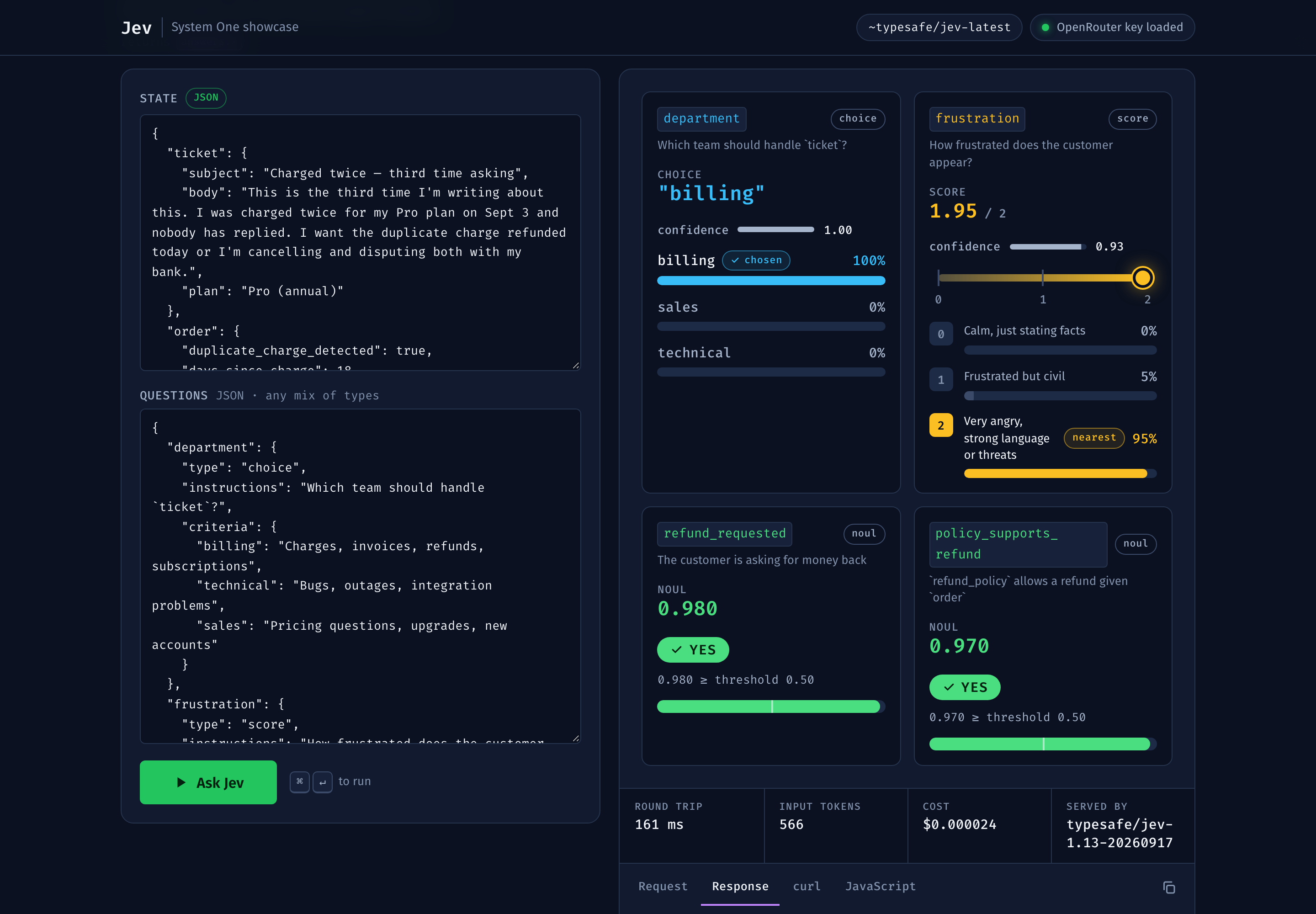

Browse demos or applications for more examples. Check the repository owner, backend and evidence link because similarly named projects can implement different things.
How to choose an example worth adapting
- Write down the decision and the action that follows it.
- Confirm that all required facts are present in the state.
- Inspect the question's category definitions and boundary cases.
- Find the unknown, review or no-action path.
- Check provider, version, credentials and data retention.
- Run your own evaluation before connecting real actions.
A recipe that makes the failure path visible is easier to adapt than a polished demo that only shows successful inputs. If you need a walkthrough, use the document classification guide; for comparisons, use the evaluation checklist.